GMapping Algorithm
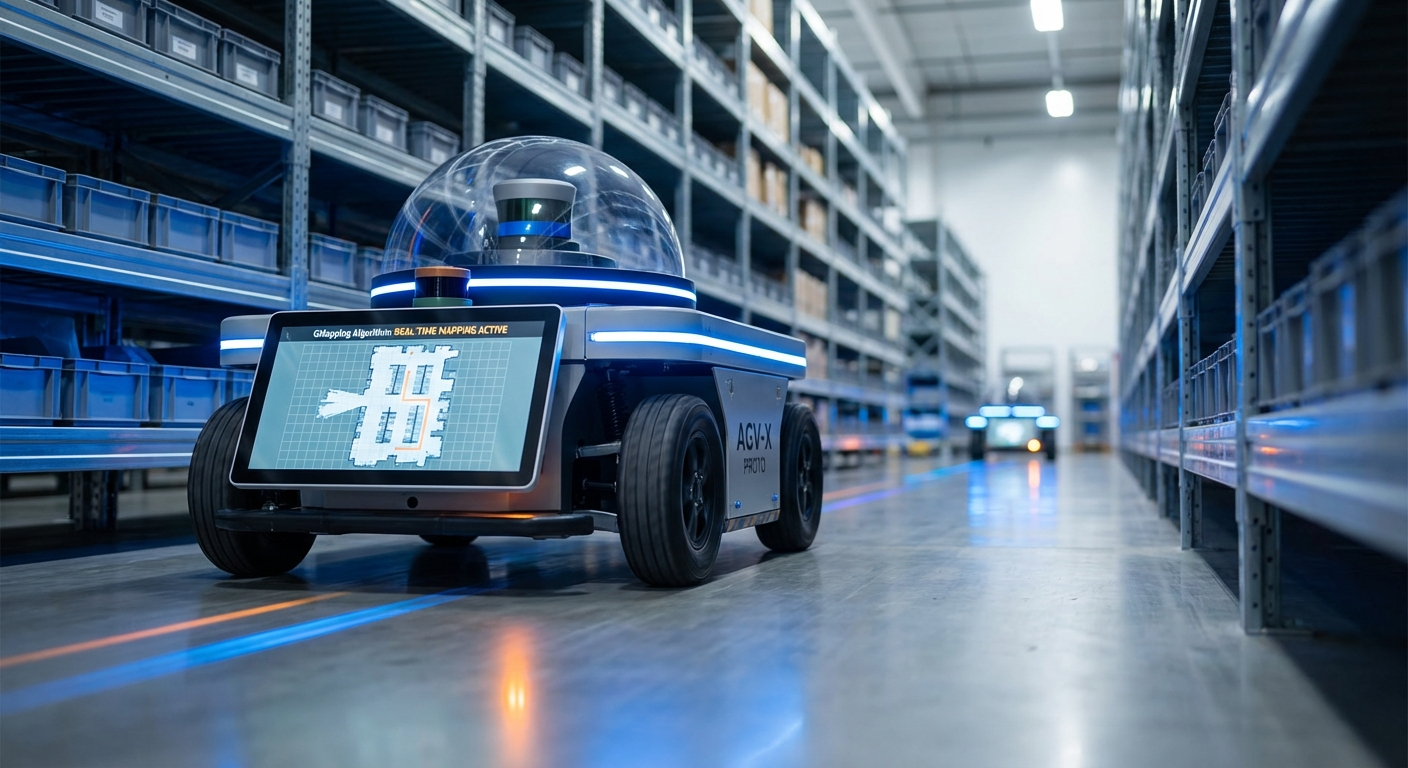
The gold standard in laser-based SLAM (Simultaneous Localization and Mapping) for autonomous mobile robots. GMapping utilizes Rao-Blackwellized Particle Filters to generate highly accurate 2D occupancy grid maps, enabling AGVs to navigate complex indoor environments with precision.
Core Concepts
Particle Filters
Uses Rao-Blackwellized Particle Filters (RBPF) to estimate the robot's trajectory. Each particle represents a possible robot pose and carries its own map of the environment.
Occupancy Grids
The output is a 2D grid where each cell represents a probability of being occupied, free, or unknown. This binary-style map is essential for path planning algorithms like A*.
Adaptive Resampling
To maintain computational efficiency, GMapping only resamples particles when necessary. This reduces the risk of particle depletion and allows the algorithm to run on modest hardware.
Scan Matching
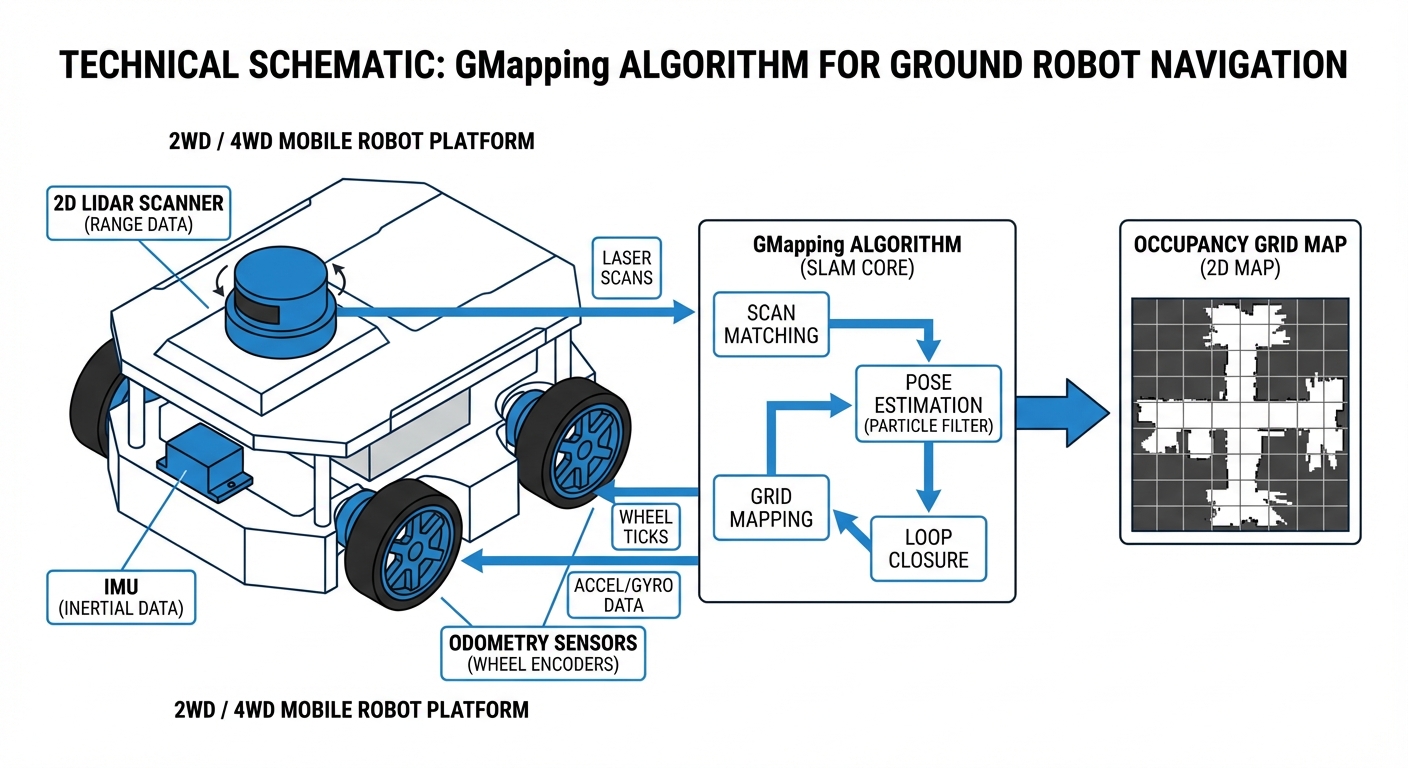
Laser scan matching is used within the filter proposal distribution. This aligns the current laser scan with the map constructed so far to correct odometry drift significantly.
Motion Model
Relies on odometry data (wheel encoders or IMU) to predict the robot's movement between scans. Accurate odometry is critical for the initial guess of the particle distribution.
Loop Closure
While GMapping doesn't have a distinct "back-end" optimizer like graph-SLAM, the particle filter naturally handles loop closure by re-weighting particles when the robot returns to a known area.
How It Works
The GMapping process begins with the robot receiving laser scan data (LiDAR) and odometry information. The algorithm initializes a set of particles, where each particle hypothesizes a specific robot pose and carries its own map of the environment. As the robot moves, these particles are propagated based on the motion model.
When a new laser scan is received, the algorithm performs "scan matching" to align the new data with the existing map of each particle. Particles that align well with the sensor data are given higher weights, while those that conflict with the sensor data (indicating a poor pose estimate) are down-weighted.
Finally, a resampling step eliminates particles with low weights and duplicates those with high weights. This "survival of the fittest" approach ensures the map converges to a highly accurate representation of the physical space, correcting for wheel slippage and sensor noise in real-time.
Real-World Applications
Warehouse Logistics
AGVs use GMapping to create initial blueprints of large distribution centers. Once mapped, the robots switch to localization mode (AMCL) to move pallets efficiently without modifying infrastructure.
Industrial Cleaning
Autonomous scrubbers generate maps of supermarket aisles or factory floors. The algorithm handles dynamic obstacles (like shoppers) robustly, ensuring the static map remains clean for path planning.
Hospital Delivery
Service robots map hospital corridors to deliver medicine and linens. GMapping's precision allows these robots to navigate tight spaces and doorways with high reliability.
HazMat Inspection
In environments too dangerous for humans, remote robots generate live maps using GMapping, providing operators with a clear understanding of the terrain layout in real-time.
Frequently Asked Questions
What hardware is required to run GMapping?
At a minimum, you need a mobile robot with odometry sources (wheel encoders) and a 2D LiDAR (Laser Range Finder). While it can run on a Raspberry Pi 4 for smaller areas, an Intel NUC or similar x86 processor is recommended for mapping large, complex industrial environments efficiently.
How does GMapping compare to Hector SLAM?
Hector SLAM relies solely on laser scan matching and does not require odometry, making it good for drones or handhelds. GMapping requires odometry but is generally more robust for ground robots (AGVs) in environments with few features (like long corridors) because the wheel encoders provide a baseline during featureless scans.
Can GMapping handle dynamic environments with moving people?
GMapping is designed primarily for static environments. While it has some robustness against moving obstacles due to its probabilistic nature, frequent changes can cause "ghosting" on the map. It is best practice to map an area when it is relatively empty (e.g., at night or during shift changes).
Is GMapping better than Google Cartographer?
GMapping is simpler to set up and uses less CPU for small-to-medium maps, making it a great entry point. Google Cartographer is a Graph-SLAM approach that handles loop closure significantly better in very large environments (like multi-floor buildings) but requires much more tuning and computational resources.
Why is my generated map distorted or "drifted"?
Map drift is usually caused by poor odometry calibration or insufficient distinct features for the laser scanner. Check if your wheel encoders are slipping, calibrate your IMU, and ensure the LiDAR has enough unique geometry to "lock on" to during rotation.
Does GMapping support 3D LiDARs like Velodyne or Ouster?
Native GMapping is a 2D SLAM algorithm. However, you can use 3D LiDARs by converting the 3D point cloud into a 2D "LaserScan" message (using packages like pointcloud_to_laserscan in ROS), effectively flattening the data for the algorithm to process.
What is the typical output format of the map?
The standard output is an Occupancy Grid, usually saved as a portable gray-map image (PGM) alongside a YAML configuration file. The PGM visualizes the map (black=obstacle, white=free, gray=unknown), and the YAML defines the resolution (meters per pixel) and origin coordinates.
How important is the particle count parameter?
Very important. A higher particle count increases mapping accuracy and loop closure ability but linearly increases CPU load. For most indoor AGV applications, a particle count between 30 and 80 is a sweet spot between performance and accuracy.
Can I use GMapping for outdoor agricultural robots?
It is challenging. GMapping relies on structured environments (walls, corners) to correct odometry. Open fields lack these features, causing the scan matching to fail. GPS-fused approaches or visual SLAM are generally better suited for outdoor robotics.
Is GMapping integrated with ROS (Robot Operating System)?
Yes, the `slam_gmapping` package is one of the most widely used packages in the ROS ecosystem (ROS 1 and ROS 2). It subscribes to `tf` (transforms) and `scan` topics and publishes the generated `map` topic automatically.
How do I fix "Loop Closure" errors where corridors don't align?
This usually happens in large loops. To fix it: 1) Increase particle count, 2) Improve odometry (check tire pressure/encoders), or 3) Drive the robot slower when turning to allow the laser scan matching more time to converge on the geometry.
Is GMapping computationally expensive?
Compared to modern Graph-SLAM, GMapping is moderately heavy because it carries multiple full maps (one per particle). However, thanks to adaptive resampling (only processing when the robot moves significantly), it remains efficient enough for real-time operation on standard embedded computers.